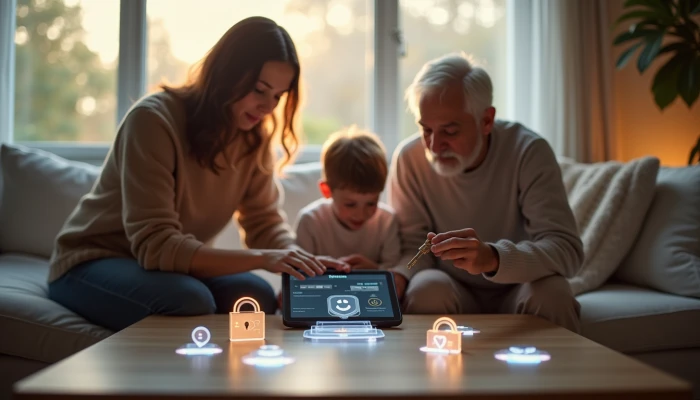
A Calm Way to Teach Data Privacy to Kids and Seniors at Home
Teaching privacy at home can feel awkward for two opposite reasons: children may tune out abstract warnings, while older relatives may feel overwhelmed by unfamiliar terms and settings.
A better approach is to make privacy concrete, calm, and repeatable. Instead of treating it like a one-time lecture, families can use short activities, plain-language explanations, and regular check-ins to build safer habits over time.
This guide focuses on practical lessons for kids and seniors, with special attention to children under 13 and the rules that shape child-directed online tools. The goal is not complete privacy or identity theft protection. It is to help families understand what data gets collected, ask better questions, and make more confident choices together.
COPPA-Compliant Foundations for Family Privacy Education
If a child uses websites, apps, games, or learning tools, it helps to know the basic idea behind COPPA. Federal Trade Commission guidance explains that COPPA applies to operators of online services directed to children under 13, and to services that knowingly collect personal information from children in that age group.
For families, the practical takeaway is simple: children should not be expected to manage privacy choices alone. Parents or guardians need clear notice about what information is collected, why it is collected, and how they can review or delete it.
When you evaluate a child-directed tool, look for these basics.
- A clearly posted privacy policy
- A direct explanation of what information is collected
- A way for parents to give or withhold consent when required
- A way for parents to review or request deletion of a child's data
- Contact information for privacy questions
Implementation guidance commonly emphasizes that compliance is not just a one-time checkbox. Educational tools and child-focused services may need ongoing policy updates, internal training, and regular review as features change.
That matters for families because a privacy-friendly lesson is not only about the activity itself. It is also about choosing tools that respect parental involvement and limit unnecessary data collection.
A simple family rule can help here: if an app for a younger child cannot clearly explain what it collects and how a parent stays in control, pause before using it.
This foundation also supports broader identity theft protection habits. Children may not think of a birthday, school name, photo, or location as sensitive information, but those details can still matter when combined across services.
Age-Appropriate Privacy Lessons for Kids and Seniors
Privacy lessons work better when they match the learner's stage of life. A seven-year-old does not need a detailed legal explanation. A grandparent who is new to smartphones may not need a lecture about ad-tech terms. Both groups benefit from examples they can see and discuss.
Here is a simple way to adapt the lesson.
| Group | What to teach | Good activity style |
|---|---|---|
| Young children | What counts as personal information | Sorting games with names, birthdays, photos, and addresses |
| Preteens | Why apps ask for permissions | Device walkthroughs and "should we allow this?" discussions |
| Teens | Sharing, reputation, and account settings | Scenario-based choices and privacy setting reviews |
| Seniors | Scam warning signs and account safety | Role-play, practice calls, and message review |
For younger children, visual metaphors help. You can compare personal information to keys to the house: not everything should be handed to strangers. Ask them to sort examples into two groups: "okay to share with family" and "ask first before sharing online."
For seniors, role-playing is often more effective than abstract advice. Read a suspicious text message out loud and ask three questions.
- Who is asking?
- What do they want me to do quickly?
- What should I verify before responding?
Gamified learning can also help without turning privacy into fear. For example, create a family challenge where each person finds one app permission to review, one account password to update, or one privacy setting to check.
The goal is not technical mastery. It is recognition. If a child can say, "That app wants my location," or a senior can say, "This message is pushing me to act fast," the lesson is working.
Data Collection Explanations for Family Discussions
Many privacy conversations break down because adults jump straight to terms that feel vague or intimidating. Plain-English explanations work better.
Try these simple analogies.
- Digital footprint: the trail you leave behind when you use websites, apps, and devices
- Cookies: small notes a website uses to remember things about your visit
- App permissions: doors you may open for an app, such as camera, contacts, or location
- Targeted ads: ads shown based on what a service thinks you may like or do
- Data brokers: companies that collect and organize personal information from many sources
For children, explain data collection as a trade. A game or app may offer something fun, but it may also ask for information in return. That creates a natural question: does the app really need that information to work?
For seniors, it helps to connect data collection to familiar experiences. A store loyalty card, a mailing list, and a telemarketing list all show the same basic idea: information can be collected, combined, and used to influence what you see or receive.
Use this short script during family discussions.
- "What is this app asking for?"
- "Why might it want that?"
- "Do we need to say yes?"
- "Can we use it with fewer permissions?"
- "If we stop using it, can we delete the account or remove old information?"
That last question creates a bridge to practical consumer privacy habits, including how to remove personal information online where possible. Families may not be able to erase everything from the internet, but they can often reduce exposure by deleting unused accounts, limiting public profile details, and reviewing data-sharing settings.
For older relatives, this is also a good moment to explain why they may see repeated ads after searching for a product, or why unfamiliar companies may already know a phone number or address.
Parental Guidance Strategies for Privacy Conversations
Privacy talks go better when they are routine, not reactive. If the first conversation happens only after a scam, an accidental overshare, or a worrying app request, family members may feel blamed instead of supported.
A practical approach is to create simple family privacy rules.
- Ask before sharing a real name, birthday, school, address, or live location
- Review app permissions together before installing something new
- Keep accounts private by default when that option exists
- Use strong passwords and turn on extra sign-in protection where available
- Pause before clicking urgent links in texts, emails, or pop-ups
Parents can also use short discussion prompts with teens and older children.
- "Would you post this if a teacher, future employer, or stranger could see it?"
- "Does this app need your contacts or just want them?"
- "What would you do if a friend asked for a password or login code?"
For seniors, guidance works best when it respects independence. Instead of taking over devices, offer a repeatable review process.
- Check whether the message came from a known sender.
- Look for pressure, urgency, or payment requests.
- Verify through a separate channel.
- Ask a trusted family member before sharing sensitive information.
You can also schedule a monthly household privacy check. This can include a quick privacy settings guide for major accounts, a review of saved payment methods, and a look at whether old accounts should be closed.
If a family member is worried about identity theft protection, keep the advice grounded. Focus on habits that reduce exposure and improve response time, such as reviewing account recovery options, watching for identity theft warning signs, and understanding when a credit freeze guide may be relevant after suspicious activity or a breach.
AI-Driven Privacy Learning Activities
Interactive design activities can make privacy lessons more memorable than passive reading. The strongest family activities do not require advanced technical knowledge. They ask people to notice what information is requested, imagine safer alternatives, and practice better choices.
One useful format is a privacy-by-design activity. Ask children or teens to sketch a pretend app, game, or chatbot and answer these questions.
- What information does it need to work?
- What information does it not need?
- Which settings should be private by default?
- How would a parent or user change those settings?
This kind of exercise helps learners see that data collection is a design choice, not an unavoidable fact of every digital experience.
You can also run a simple family simulation around AI and tracking.
| Scenario | Discussion question | Privacy lesson |
|---|---|---|
| A chatbot asks for a full name and location | Does it need both to answer the question? | Share only what is necessary |
| A photo app requests contacts access | What feature would require that? | Match permissions to purpose |
| A game asks to keep microphone access on | Is that needed all the time? | Prefer limited access |
For seniors, AI-related lessons can focus on recognition rather than design. Show how automated systems may personalize ads, suggest content, or imitate human conversation. Then discuss the same core questions used with kids: what is being collected, why is it being collected, and what control does the user have?
A simple weekly activity sequence can help families build momentum.
- Pick one app, site, or device.
- Review what information it asks for.
- Change one setting or permission if needed.
- Talk about what was learned in plain language.
- Write down one family rule to keep.
This approach turns privacy into a practical household skill. It also supports long-term consumer privacy habits better than one-time warnings, because family members practice noticing, questioning, and adjusting their choices together.
Conclusion
Family privacy education works best when it is simple, shared, and ongoing. Children need age-appropriate explanations and parental support. Seniors often benefit from patient walkthroughs and realistic scam practice. Both groups learn more from short, repeatable activities than from abstract warnings.
By combining COPPA-aware choices for child-directed tools with hands-on lessons about permissions, sharing, and account safety, families can build habits that support identity theft protection without promising perfect safety.
A good next step is small: choose one app, one device, or one account this week and review it together. That kind of steady practice is often what makes privacy feel manageable across generations.